Bus Parking 3D Online Driving Game
About the Game
Description
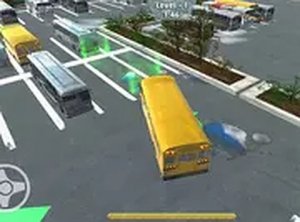
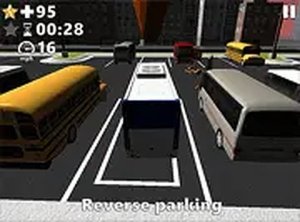
Bus Parking 3D is an online driving game that puts you behind the wheel of a full-sized bus. Your task is to guide the vehicle into designated parking spaces across multiple levels. The game uses realistic 3D graphics to create an immersive environment. Each level presents a unique layout with obstacles such as cones, barriers, and other cars. You must steer carefully and avoid collisions to succeed. The game is free to play directly in your desktop browser. It offers a satisfying challenge for players who enjoy precision driving tasks. The controls are responsive and the camera angles help you judge distances. Whether you have a few minutes or a longer break, Bus Parking 3D provides a focused and rewarding experience. It is suitable for all ages and requires no special equipment.
To play Bus Parking 3D, use your keyboard or mouse. The arrow keys control steering, acceleration, and reversing. The spacebar acts as the brake. Your goal is to park the bus inside the marked area on each level. Watch out for obstacles that can cause a restart. Take your time and make small adjustments to avoid hitting anything. The game offers a full screen mode for better visibility. Simply load the game on your desktop browser and begin. No downloads or installations are needed. Practice each level to improve your parking skills. The game rewards patience and careful movement.
Realistic 3D graphics create a lifelike parking environment. Multiple challenging levels test your driving precision. Free to play with no downloads or sign-ups required. Full screen mode provides an immersive view. Smooth controls make it easy to steer, accelerate, and brake. Suitable for players of all ages who enjoy skill-based games.
Bus Parking 3D offers a calm yet engaging challenge. It helps improve spatial awareness and hand-eye coordination. Each completed level brings a sense of accomplishment. The game is perfect for short breaks or longer play sessions.
Compatibility:
✅ Works on PC & Mobile | Recommended: Chrome / Safari / Edge