Family Puzzle Story Game
About the Game
Description
Game Introduction
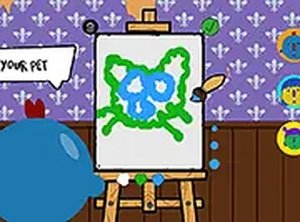
Together WebGL is a unique and engaging game that blends interactive fiction with art puzzles. You step into the shoes of an artist who follows his passion for drawing while trying to support his family. The game challenges you to create artwork on canvas based on requests, which helps pay the bills. However, your wife will bring up family issues that need your attention, like a child getting sick. You must show you care while also loving your job. This game tests your ability to make important decisions for your family's well-being. It offers a touching story that explores the balance between work and personal life. Play Together WebGL for free on and enjoy a fun, family-friendly experience.
How to Play
Playing Together WebGL is straightforward. Use your mouse to draw on the canvas as requested. The game will guide you through various art tasks. Pay attention to family problems that pop up, as you need to respond to them. Make choices that show you care for your family while keeping up with your work. The game runs directly in your browser on a computer, so no downloads are needed. For a better experience, you can play in full screen mode. Just click the full screen button to immerse yourself in the story. It works best with a keyboard or mouse on desktop.
Game Features
Interactive fiction and art puzzles combined. Family-friendly decision-making that affects the story. Free browser play with no downloads. Full screen mode for better immersion. Simple mouse controls for drawing and choices.
Tips for Success
To succeed in Together WebGL, focus on balancing your time between art tasks and family needs. Prioritize completing drawing requests accurately to earn income, but don't ignore family issues that arise. Make thoughtful choices that reflect care for your family, as these decisions may influence the story's outcome. Practice your drawing skills to complete tasks more efficiently. Pay attention to the narrative clues to anticipate family problems. Finally, take breaks if needed to maintain a clear mind for better decision-making.
Compatibility:
✅ Works on PC & Mobile | Recommended: Chrome / Safari / Edge